Every developer has a drawer full of .env files. They get committed by accident. They get emailed. They get copy-pasted into Notion. They sit in plaintext on laptops that get lost, stolen, or handed to contractors.
The usual solution — a password manager or secrets vault — solves storage but not the last mile. You still end up typing API keys into terminal windows, copying them into config files, or maintaining a separate secret per project per machine.
Keytec solves the whole chain. Store once in the OS Keychain. Attach to a project. Run. The key value is never written to disk, never visible in a log, and never leaves your machine unless you explicitly say so.
- .env files committed to git — happens to every team eventually
- API keys rotated manually after leaks, killing working deploys
- Contractors handed .env files over Slack with no expiry
- Keys duplicated across projects with no central view
- No way to know which CI/CD secrets are stale or rotated
- GitHub Actions secrets manually synced by hand, per repo
macOS Keychain
API keys are stored in the operating system keychain using the security CLI. No plaintext file is created. Keys survive reboots, survive app uninstalls, and are protected by your login password and Touch ID.
Project profiles
Profiles group the keys a project needs. openclaw gets Together AI and DeepSeek. aura gets OpenAI and Supabase. The profile stores key names only — never the values.
Runtime injection
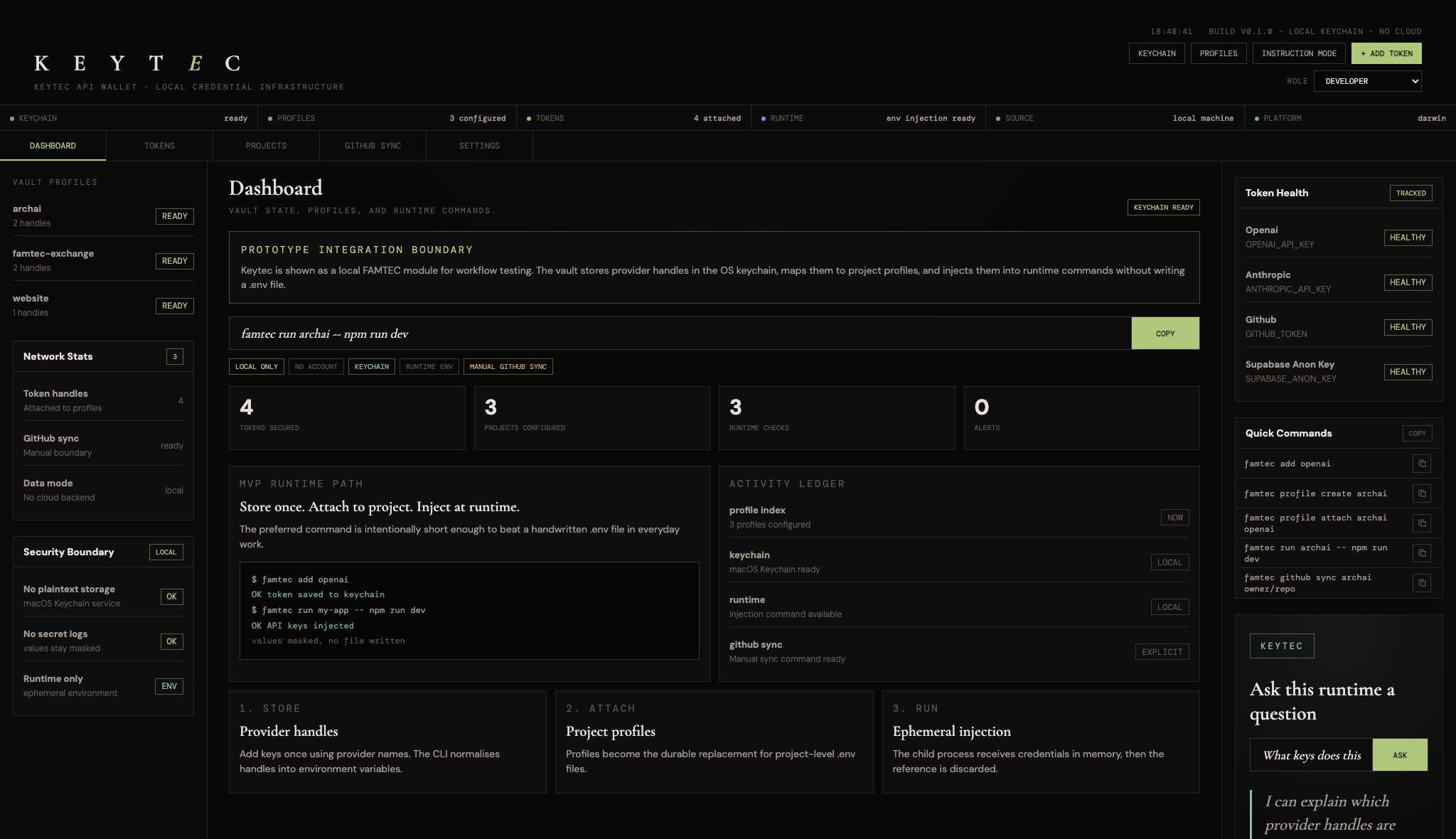
One command — famtec run openclaw -- npm run dev — fetches every key attached to that profile, injects them as environment variables, and launches the process. Nothing is written. When the process exits, the values are gone.
CLI first
Full command-line interface for every operation. Add keys, create projects, attach, run, export. Scriptable and pipe-friendly.
Local web dashboard
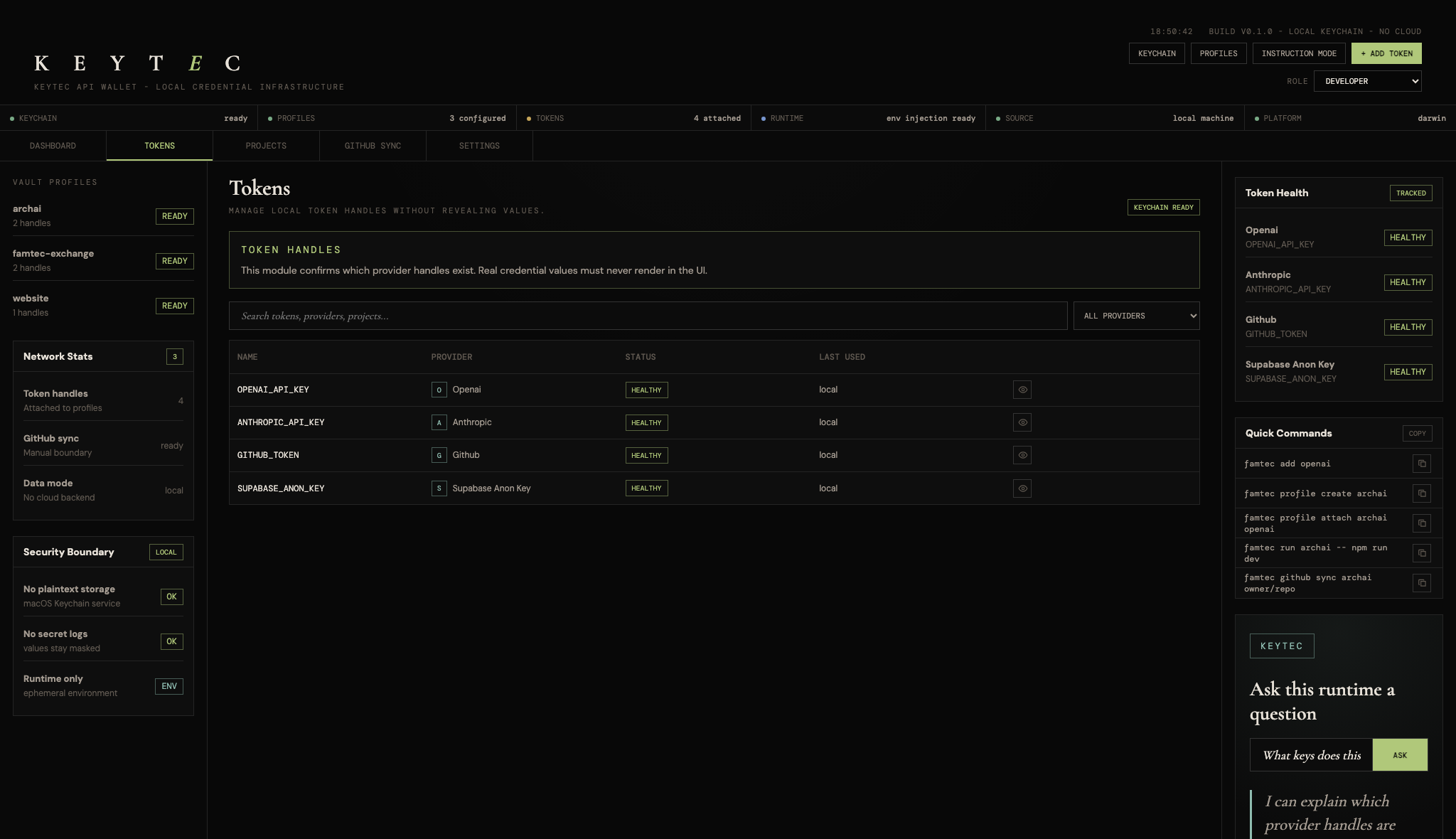
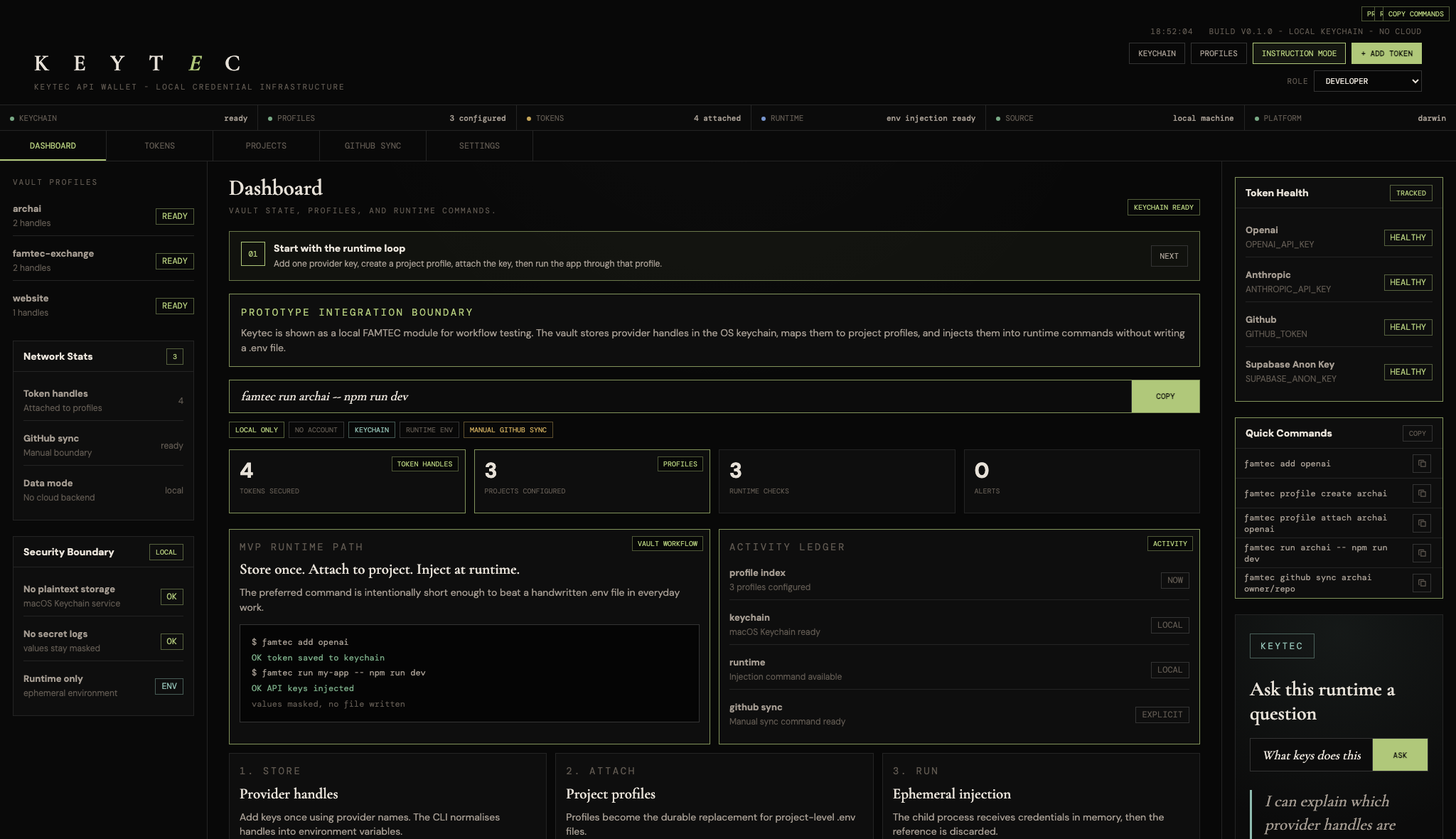
A local dashboard at 127.0.0.1:48741 gives you a visual overview of all projects and keys. No account, no internet required.
Runtime injection
Keys are fetched from Keychain at run time and passed directly to your process as environment variables. Nothing is written to disk.
GitHub Actions sync
Push a project's keys directly into GitHub Actions Secrets in one command. Uses the gh CLI under the hood.
Export as .env
When you need a .env file — for a contractor, a deploy, a staging environment — export one on demand from the dashboard and delete it after.
Masked always
The dashboard never renders secret values. The CLI masks them in output. Values are only accessible to processes you explicitly run through Keytec.
Keytec is a Node.js CLI application for macOS. Install it globally from npm or clone the repository and link it locally.
The local web dashboard starts automatically and serves on 127.0.0.1:48741. All data stays on your machine. There is no telemetry, no analytics, no update check.
- Requires macOS (Keychain dependency)
- Node.js 20 or later
- No configuration file needed
- Optional: GitHub CLI for Actions sync
- Profiles stored in ~/.famtec/profiles.json
- Keys stored in macOS Keychain service "famtec"
- Dashboard runs on 127.0.0.1:48741
- ESM modules, no build step required
- TypeScript source included
Personal & open source
Free forever for individuals, hobbyists, students, and open source projects. No time limit, no feature limit.
- Personal use on your own machines
- Open source projects (OSI-approved license)
- Evaluation and private testing
- Academic and research use
Teams & organisations
A commercial license is required for any business or professional use. Contact for per-seat, per-team, and OEM pricing.
- Company or team use (more than one machine)
- Products or services that bundle Keytec
- SaaS platforms and hosted offerings
- Redistribution or resale
Keytec is an early-stage developer tool. FAMTEC is open to testing partners, security review, funded development, documentation support, and pilot use with teams managing sensitive API credentials.
GitHub Repository
Full source, documentation, CLI reference, and issue tracker.
Get a License
Per-seat, per-team, and OEM licensing available. Get in touch.
Buy Me a Coffee
Support testing, packaging, documentation, and security review for the community release.
Desktop dashboard, token management, and instruction mode — all running locally on macOS.